 Xem Studiomeasured geometry
Library › Electronic components › Microcontroller boards · 2008 ·
Arduino Nano (classic and Nano Every)
What are the Arduino Nano board dimensions? · Modern device · basis: Arduino Nano datasheet mechanical drawing; numbers re-keyed, geometry built by Xem Studio
Also called: nano, nano every, arduino nano medidas, arduino nano dimensões
Exact dimensions. True size, with no tolerance added.
- length
- 45 mm
- width
- 18 mm
- holes
- 4 × Ø1.8 mm · at the corners, see outline · M1.6
Notes
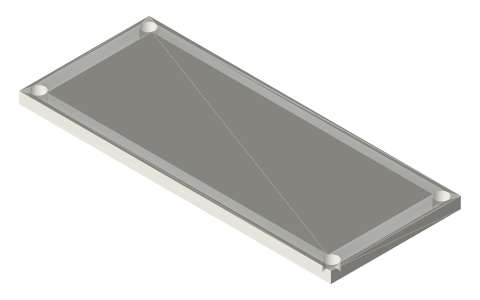
- From Arduino's Nano mechanical drawing: board 43.2 × 18 × 1.6 mm with four Ø1.8 holes on 40.64 × 15.24 mm. Corners drawn square: radius not published.
- Sizes are exact nominal millimetres, true size: add your own clearance.
- Two 15-pin headers on 2.54 mm pitch, 15.24 mm apart; mini-USB (classic) or micro-USB (Every) on the short edge.
- Nano 33 and Nano ESP32 share the outline.
Arduino Nano size chart
| parameter | value |
|---|---|
| board | 43.2 × 18 × 1.6 mm |
| mounting holes | 4 × Ø1.8 on 40.64 × 15.24 mm (1.6 × 0.6 in), centred on the board |
| headers | 2 × 15 pins, 2.54 mm pitch, rows 15.24 mm apart; ICSP 2 × 3 at 2.54 mm |
| height with headers (side view) | 18.6 mm overall with the ICSP pins; header pins 2.5 mm below the board |
| hole position | centred (Arduino's NanoV3.3 board file puts them 1.27 mm from each edge) |
| corners | drawn square: radius not published |
Where the files are
Other publishers' files are linked, not hosted. "verify" = check the license at the link before commercial use.
| Arduino (official) | Nano documentation, CAD files | STEP, DXF, PDF | see page verify |
| Arduino (official) | Arduino Nano datasheet mechanical drawing (nano_mechanical_dimension) | EAGLE, PNG | CC BY-SA 4.0 (Arduino design files); numbers re-keyed, files not hosted |
Free files
★ Free files 1 parts. Generated by Xem Studio from the standard; threads are plain cylinders at major diameter. CC BY 4.0. index.json
Use this part in your AI. Your AI gets the exact sizes and files straight from Xem and can design a mount, case or adapter around it. Direct downloads here are limited to one file every 10 minutes; through your AI they are unlimited.
Connect Xem to your AI (free, no account, about a minute)
https://xemstudio.com/mcp- Claude: Add to Claude
- ChatGPT (Plus or higher): open Connectors → Advanced → turn on Developer mode → Create → paste the address, no authentication → Create.
- Cursor: install with one click. VS Code: install with one click.
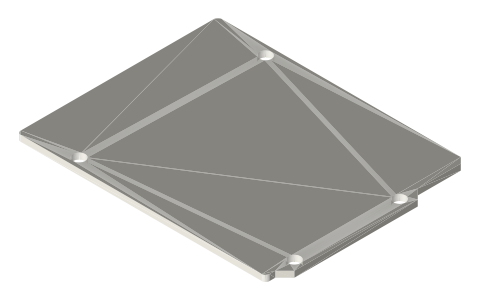
| arduino-nano-board | Nano board 43.2 × 18 × 1.6 mm (all printed on Arduino's drawing) with four Ø1.8 holes on 40.64 × 15.24 mm, centred; corners drawn square: radius not published | STEP · STL |
https://xemstudio.com/mcp to Claude, ChatGPT, Cursor or any MCP client (free, no account, one minute) and it can look up exact sizes, mating fits and free STEP/STL from every chat.Plain text: sheet.txt · JSON: /api/geometry?object=arduino-nano
Fits with
Questions
What are the Arduino Nano (classic and Nano Every) dimensions in mm?
45 × 18 mm (length × width × height). Two 15-pin headers on 2.54 mm pitch, 15.24 mm apart; mini-USB (classic) or micro-USB (Every) on the short edge.
What is the Arduino Nano (classic and Nano Every) mounting hole pattern?
4 × Ø1.8 mm on a at the corners, see outline mm pattern, M1.6 screws.
Where is the official CAD for the Arduino Nano (classic and Nano Every)?
Arduino (official): Nano documentation, CAD files (STEP, DXF, PDF, see page). Linked from the sheet; Xem Studio does not rehost it.